

Liri Bot
LIRI is like iPhone's SIRI. However, while SIRI is a Speech Interpretation and Recognition Interface, LIRI is a Language Interpretation and Recognition Interface. LIRI will be a command line node app that takes in parameters and then responses with the data back to the user.
LIRI will search Spotify for songs, Bands in Town for concerts, and OMDB for movies.
This app retrieves the data by sending requests using the axios package to the Bands in Town, Spotify and OMDB APIs. You can find these Node packages crucial below.
Tools & Technologies
- JavaScript
- jQuery
- MomentJS
- Axios
- NodeJS
- JSON
- chalk
- APIs
- Spotify
- OMDB
- Bands In Town
Installation
To clone this project to your device, type the code below to your git bash:
git clone https://github.com/itshally/liri-node-app.git
After cloning the repo, make sure to install all the dependencies before running it locally.
cd liri-node-app

npm i
Note:
You must add a .env file at the root folder of the repository, and type the following:
SPOTIFY_ID=[insert key code here]

SPOTIFY_SECRET=[insert key code here]

REACT_APP_API_KEY=[insert key code here]
Do the following to get your API keys:
Spotify API
- Make sure you have a Spotify account. Go to this link if you have Spotify for Developers. Then, login with your Spotify account.
- In your Spotify Dashboard tab, click Create an app and then complete the required input fields.
- Afterwards, click the app that you just created to view your keys.
SPOTIFY_IDis your Spotify Client IDSPOTIFY_SECRETis your Client Secret
OMDB API
- To claim your API key, go to this link OMDB API
- Click the FREE! (1,000 daily limit) as your account type and complete the required input fields.
- You will receive an email with your API key
Save those 3 keys in your .env file.
App Commands
When you start running it locally, here are the commands for you to use:
concert-thisspotify-this-songmovie-thisdo-what-it-says
Here is the syntax command:
node liri [app command] [query of your search]
Example: node liri movie-this mission impossible
Screenshots
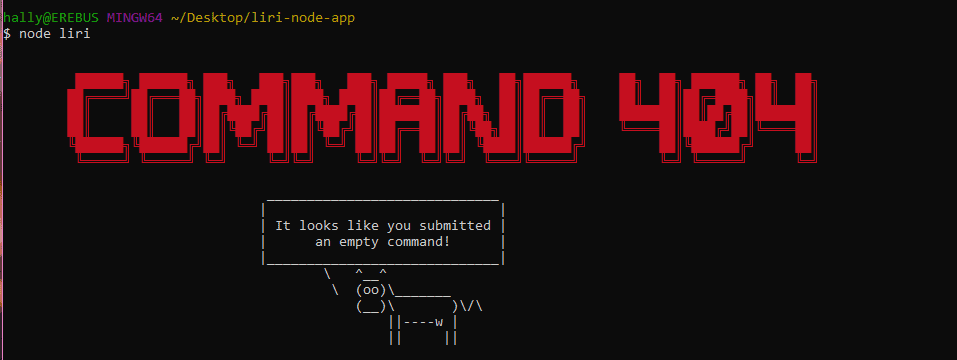
- This will be the output if the user didn't type any command or left it empty
-
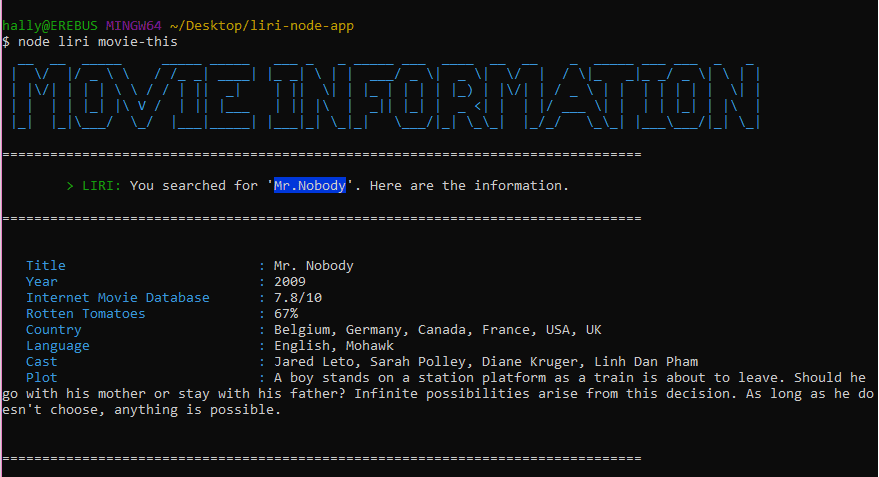
For the "
movie-this" command -
This will be the default result
-
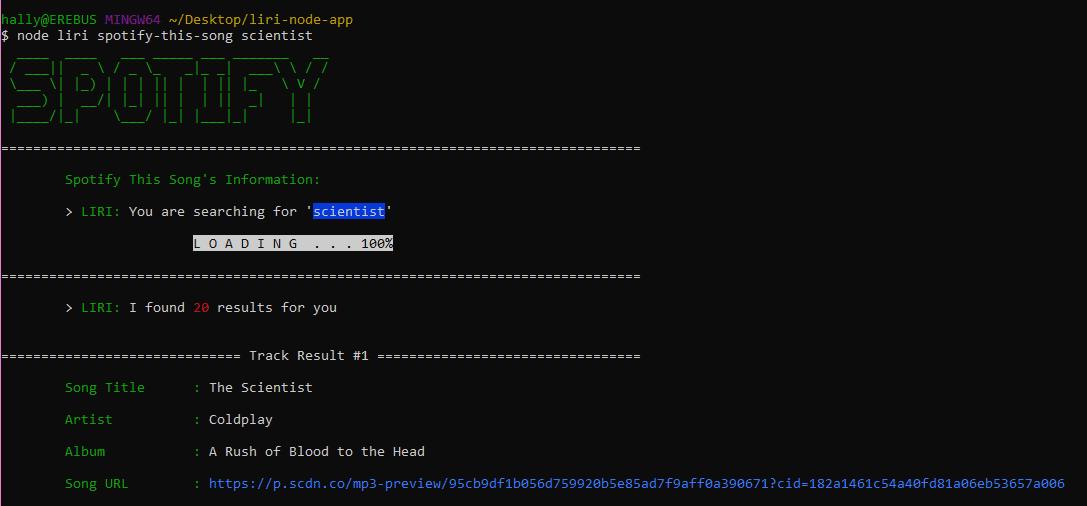
For the "
spotify-this-song" command -
This will be the output
-
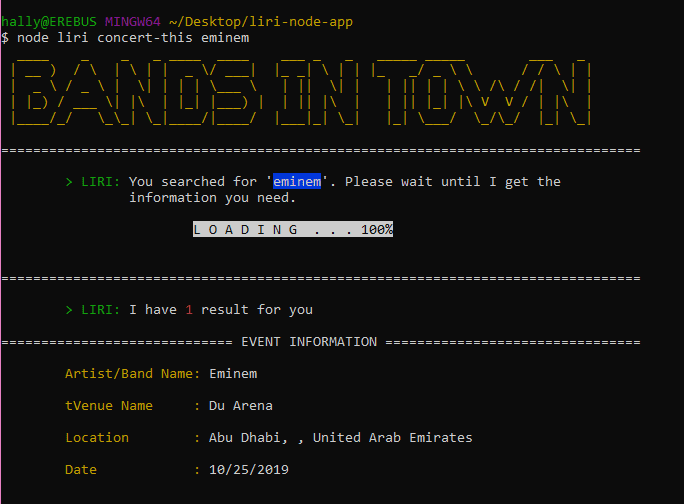
For the "
concert-this" command -
This will be the output
-
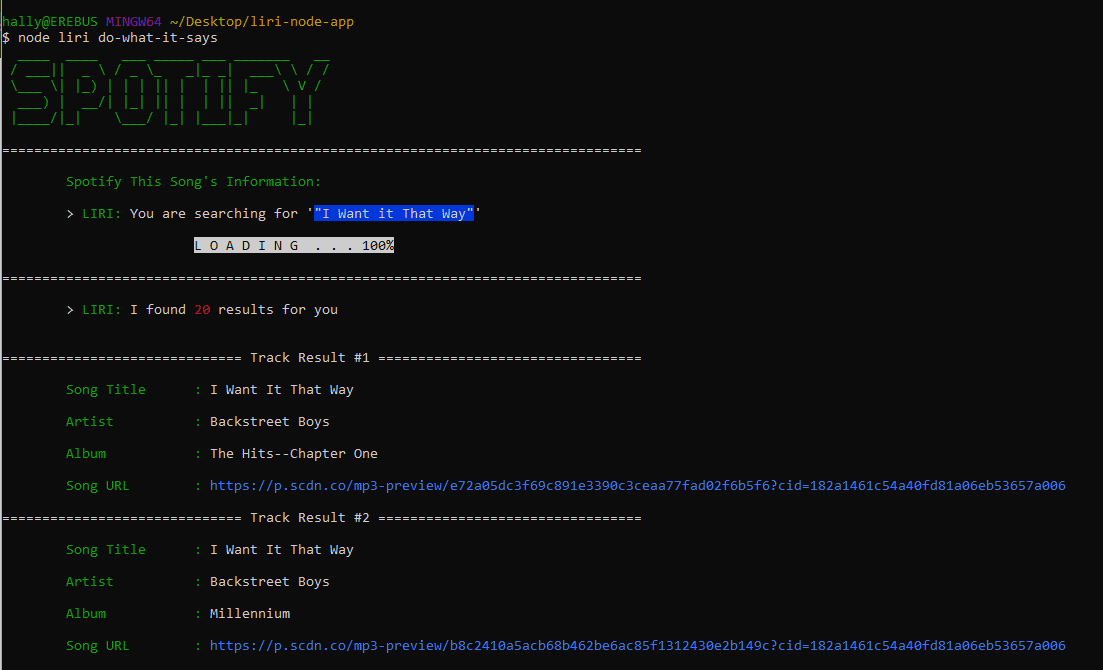
For the "
do-what-it-says" command -
This will be the output
License
Distributed under the MIT License